

Last updated: May 2026
Quick answer: For quick response, multi-step automation, and better control on desktop, ChatGPT is better; for deep reasoning, long-context repository analysis, and structured work on the task, Claude AI is better.
| Feature | ChatGPT (OpenAI) | Claude AI (Anthropic) |
|---|---|---|
| Core Strength | System Control & Automation | Deep Adaptive Reasoning |
| Best For | Local Tasks & Rapid Workflows | Repo Refactoring & Analysis |
| Automation Tool | Codex Desktop App Appshots | Terminal-Native Claude Code CLI |
| Coding | System execution & script builders | Multi-file logic & 1M token repos |
| Context Window | Deep Research Threads | 1,000,000 Tokens (Standard) |
Quick Answer
The difference shows up in how you use them. ChatGPT works better when speed, local execution, and fluid system automation matter. Claude AI works better when the task needs intense logic, structure, and massive document consistency.
Most real workflows don't pick one. They use both.
If you are still mapping the wider assistant landscape, start with the full AI tool comparison hub before narrowing your shortlist.
What is Claude AI vs ChatGPT?
Both ChatGPT and Claude AI fall under conversational AI.
They are based on large language models and created for responding to prompts, generating text and other content, and performing tasks related to different uses.
Where things start to shift is in how they approach those tasks.
What is ChatGPT?
ChatGPT feels more open-ended.
You can use it for:
- writing content
- solving coding issues
- answering questions
- switching between completely different tasks
It responds quickly, adapts easily, and handles complex local system interactions via desktop app tooling.
That system flexibility is its biggest advantage.
For the standalone platform breakdown, read the full ChatGPT AI chatbot review.
What is Claude AI?
Claude AI feels more deliberate.
It's not trying to do everything at once.
Instead, it leans toward:
- structured responses
- long inputs
- consistency across outputs
It tends to use fine-tuned computational effort to follow the logic of your input closely, even if that means taking a slightly slower route to ensure structural accuracy.
For a closer look at its long-context strengths, see the full Claude AI review.
What does this mean in practice?
ChatGPT is easier to use for multi-app automated execution.
Claude is easier to trust when a dataset spans thousands of pages.
How ChatGPT vs Claude AI Works
Both tools rely on pattern prediction.
They generate responses based on training data and context from your input.
But the way they handle that context isn't identical.
Real-World Scenario: Handling Long Context
| Long Context Comparison | ChatGPT | Claude AI |
|---|---|---|
| Document Handling | Deep multi-source web synthesis | Native 1M token contextual continuity |
| Large Inputs | Efficient for quick extraction | Bakes complete code repositories at once |
| Reasoning Consistency | Can simplify aggressively | Maintains strict architectural rules |
| Best Workflow Fit | Speed-focused productivity | Research & analytical workflows |
| Context Retention | Good for directed research passes | Perfect for extended context windows |
| Overall Strength | Flexibility & execution speed | Depth & structured reasoning |
Say you upload a massive, multi-file code workspace.
Something deeply detailed. Multiple modules, interconnected scripts, and configuration dependencies.
With ChatGPT, you can use Deep Research to map out external requirements and get clean structural recommendations pretty quickly. It extracts the core patterns and presents them in a highly usable way.
Claude handles the same repository with a completely different processing depth.
Because it supports a 1-million-token native canvas, it reads your entire architectural footprint simultaneously.
You'll notice things like:
- complete structural continuity between folders
- fewer skipped algorithmic parameters
- more consistent interpretation across distant modules
In simple terms?
ChatGPT excels at executing adjustments quickly.
Claude spends more processing time staying perfectly aligned with the entire codebase.
Why this matters
If the task is quick and isolated, immediate speed is fine.
But if structural dependencies matter—like refactoring core database schemas—that 1M token contextual alignment matters more than raw speed.
Claude AI vs ChatGPT for Coding
| Coding Workflow Comparison | ChatGPT | Claude AI |
|---|---|---|
| Code Generation Speed | Faster rapid prototyping | More deliberate structured output |
| Debugging | Strong for quick desktop fixes | Terminal-native Claude Code CLI tracking |
| Frontend Development | Excellent UI scaffolding & component generation | Cleaner architecture explanations |
| Backend Logic | Flexible API and automation support | More cautious reasoning & validation |
| Large Codebases | Can lose consistency in long sessions | Unmatched 1M long-context retention |
| Refactoring | Fast restructuring suggestions | More maintainable code patterns |
| Error Explanations | Simple and beginner friendly | Deeper, adaptive technical reasoning |
| Best Use Case | Rapid local execution & iteration | Structured multi-file engineering repo updates |
| Workflow Fit | Solo builders & system automation leads | Software engineers handling complex systems |
| Overall Coding Style | Fast & adaptable | Analytical & structured |
The engineering landscape shifted heavily in 2026. For quick programmatic scripts or visual component scaffolding, ChatGPT's Codex engine reacts instantly, controlling local systems via automated desktop app tools.
However, if you are dropping deep into whole-repository analysis or long legacy code maintenance, Claude's 1-million-token context canvas combined with the terminal-native Claude Code CLI provides an unmatched environment. Claude tracks cross-file logical dependencies cleanly, whereas ChatGPT shines at immediate execution and rapid cross-app iteration loops.
Scenario 1: Fixing a Local Desktop Bug
You encounter a localized machine error.
ChatGPT's Codex engine uses Appshots to review your active screen, inspects your local environment configurations, and deploys an absolute fix straight to your workspace files.
Claude will solve the same issue.
But it uses its terminal CLI tool to execute tests locally, trace runtime footprints, and verify that the adjustments don't accidentally destabilize a dependent file down the asset chain.
Scenario 2: Managing a Large Codebase
Now imagine working with multiple interconnected backend files.
ChatGPT can generate parts of your application architecture quickly, but without careful prompting, it can lose track of micro-service relationships during extended coding hours.
Claude handles this with native stability. It keeps an exact map of structures and functional connections across all files in your project directory simultaneously.
Claude AI vs ChatGPT for Writing
| Writing Workflow Comparison | ChatGPT | Claude AI |
|---|---|---|
| Content Speed | Faster high-volume output | More measured long-form writing |
| Writing Tone | Adaptive and versatile | More natural and nuanced |
| SEO Content | Strong formatting & keyword structure | Better narrative flow & readability |
| Long-Form Articles | Efficient for scalable production | Better contextual consistency |
| Marketing Copy | High-conversion CTA generation | More refined persuasive language |
| Technical Writing | Clear instructional formatting | Deeper explanatory detail |
| Creative Writing | Flexible brainstorming & ideation | Stronger storytelling coherence |
| Editing & Rewriting | Fast restructuring and simplification | More polished refinement |
| Best Workflow Fit | Content marketers & automation | Writers focused on depth & clarity |
| Overall Writing Style | Fast & conversion-focused | Natural & context-rich |
Both tools can write.
The difference shows up in how the writing holds together.
Scenario 1: SEO Blog Content
You need a complete long-form guide.
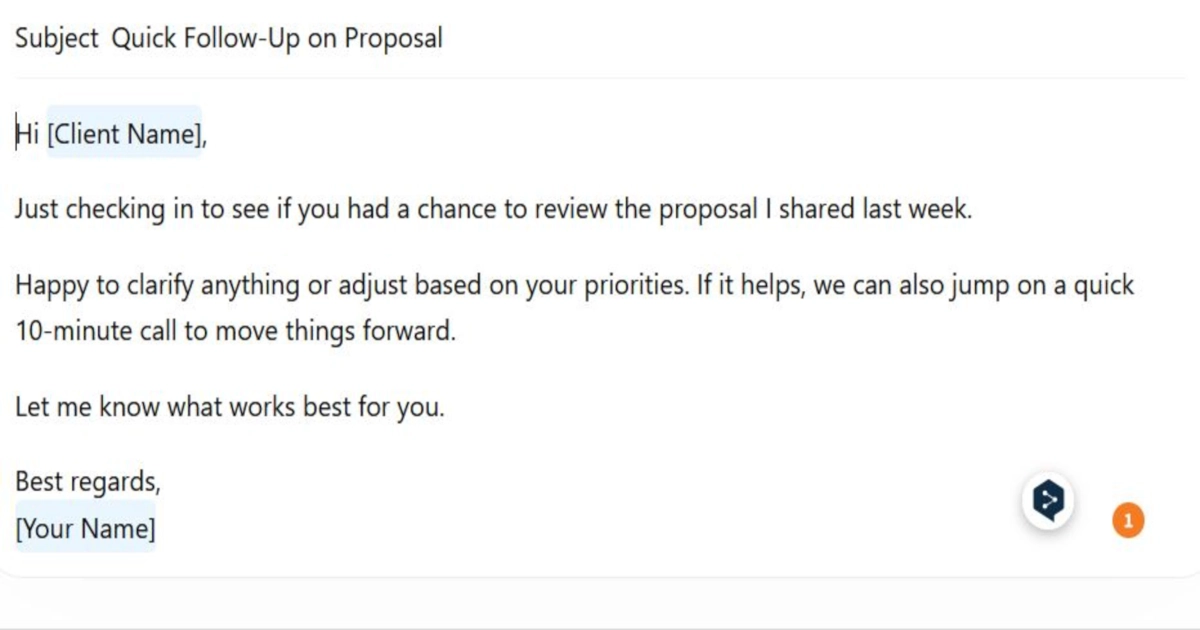
ChatGPT will map out your outlines, organize sections, and deliver a fully keyword-targeted draft incredibly fast.
Claude approaches the same layout with a focus on editorial transition flow. The output features calmer pacing, less structural phrasing repetition, and highly cohesive narrative links between long-form subheadings.
If writing output is the deciding factor, compare both against the broader AI writing tools rankings.
Scenario 2: Ad Copy and Messaging Varying
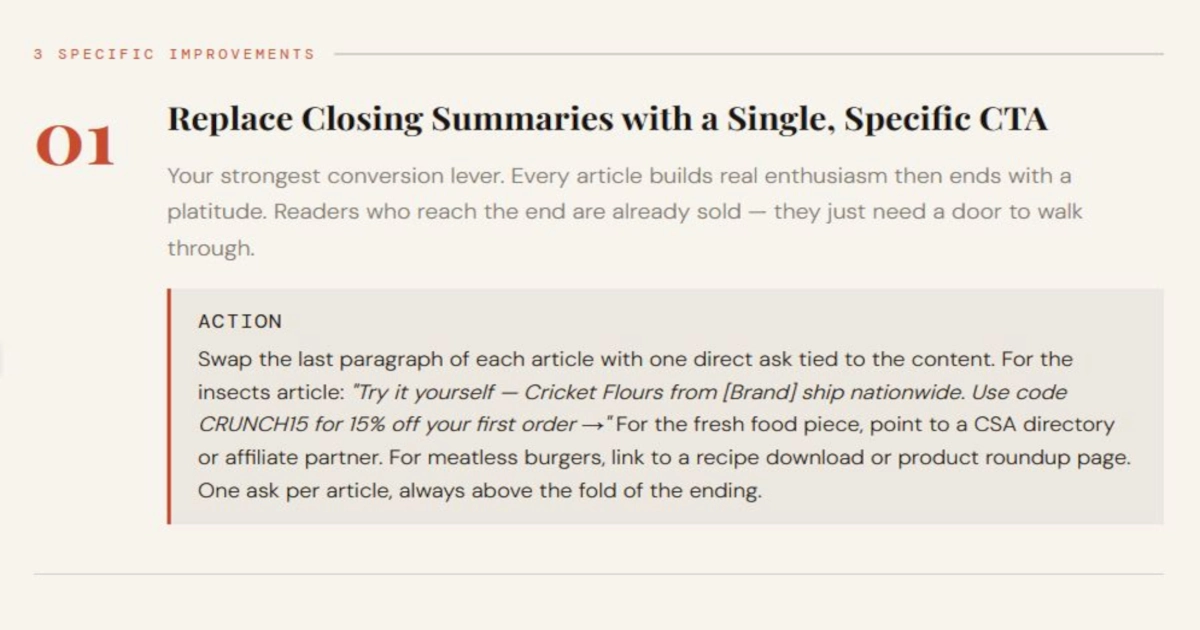
For fast, high-volume marketing content, ChatGPT adapts instantly. It generates dozens of conversion-oriented variations, maps alternative call-to-actions, and formats programmatic testing sheets on command.
Claude can build copy blocks, but it stays within a narrower, more measured prose spectrum. It focuses more on deep messaging alignment than rapid high-volume testing output.
Scenario 3: Long-Form Reports
This is where Claude stands out more.
For structured writing—reports, documentation, analysis—it keeps things aligned better.
ChatGPT can still generate the content.
But you'll often notice small inconsistencies that need editing.
ChatGPT or Claude AI: Which is Better?
This question sounds simple.
It isn't.
Because “better” changes depending on what you're doing.
For general use
ChatGPT fits more situations.
It's quicker to use and easier to adapt.
For structured work
Claude handles complexity more comfortably.
It stays aligned when the input gets heavier.
So which one wins?
Neither.
They're solving slightly different problems.
Real-World Use Cases
Scenario: Daily Workflow
Most people don't consciously choose one tool.
They just use what works in the moment.
ChatGPT tends to become the default.
- quick writing
- fast answers
- small tasks
Claude comes in when things need more attention.
- reviewing content
- analyzing information
- checking structure
Scenario: Hybrid Workflow
ChatGPT creates a draft Claude refines it
Scenario: Research and Analysis
For larger inputs:
Claude handles breakdown and structure ChatGPT helps simplify and present
What does this tell you?
These tools aren't replacements.
They're complementary.
Limitations You Should Know
No AI tool is fully reliable on its own.
Common limitations
- responses can be incorrect
- outputs still need review
- context isn't always perfect
- detection tools are inconsistent
Tool-specific patterns
ChatGPT:
- prioritizes speed
- may oversimplify
Claude:
- prioritizes structure
- may feel slower
Future of AI: What Happens Next
The direction is becoming easier to see.
AI tools aren't merging into one.
They're becoming more specialized.
Scenario: Business Use
Many teams are already splitting usage.
ChatGPT for execution. Claude for validation.
Scenario: Product Evolution
ChatGPT is expanding outward. More features, more integrations. Claude is refining inward. Better reasoning, more consistency.
ChatGPT vs Claude AI: Practical Use Case Summary
Use ChatGPT when:
- you need quick output
- you're switching between tasks
- speed matters
Use Claude when:
- the input is complex
- structure matters
- consistency is important
Real-world behavior?
Most workflows end up using both.
Frequently Asked Questions
Is ChatGPT better than Claude AI?
The difference is that ChatGPT is quicker and can perform a broad range of AI-related activities, whereas Claude works better at performing certain logical or contextual actions.
Which AI tool is better for coding: ChatGPT or Claude?
You can expect a larger amount of back-and-forth conversation between you and Claude AI rather than ChatGPT, since the latter usually responds quickly, especially when it comes to debugging or producing short codes, unless you have to analyze a large portion of a code base or structure several files together.
Is Claude AI better than ChatGPT for writing?
For long-form, structured content, Claude often provides more stable output while ChatGPT handles requirements for faster drafts, conversational tone or SEO much better. The difference is much more apparent in editing than it is in the first draft.
Can ChatGPT and Claude AI replace human writers?
Both tools can quickly generate AI content but human intervention is still needed to make sure the right tone, context and accuracy is provided especially on professional or sensitive topics. They facilitate the process, not substitute for good judgment.
What are the main differences between ChatGPT and Claude AI?
In simple terms, the distinction comes down to focus. ChatGPT is designed to be nimble and fast on a range of use cases, while Claude is intended for more in-depth reasoning and structure on longer-form inputs.
Which AI assistant is better for business workflows?
Many go two for one, using ChatGPT fully along execution tasks (ie content, communication, or quick decisions) and Claude merely for review/calibration steps in more complicated schemas.
To Sum It Up
This isn't a winner-takes-all comparison.
It's about strengths.
ChatGPT gives you speed. Claude gives you structure.
In simple terms? One helps you move faster. The other helps you stay on track.
And in most real scenarios— you end up using both without thinking about it too much.
For adjacent matchups, browse the AI comparison listing page or jump into ChatGPT vs Gemini if research speed is part of your decision.
Explore our detailed AI tools directories to find the right solution for your business operations:
👉 Best AI Chatbots in 2026 👉 Best AI Writing Tools in 2026 👉 Best AI Marketing Tools in 2026 👉 Best AI Automation Tools in 2026 👉 Best AI Image Creation Tools in 2026